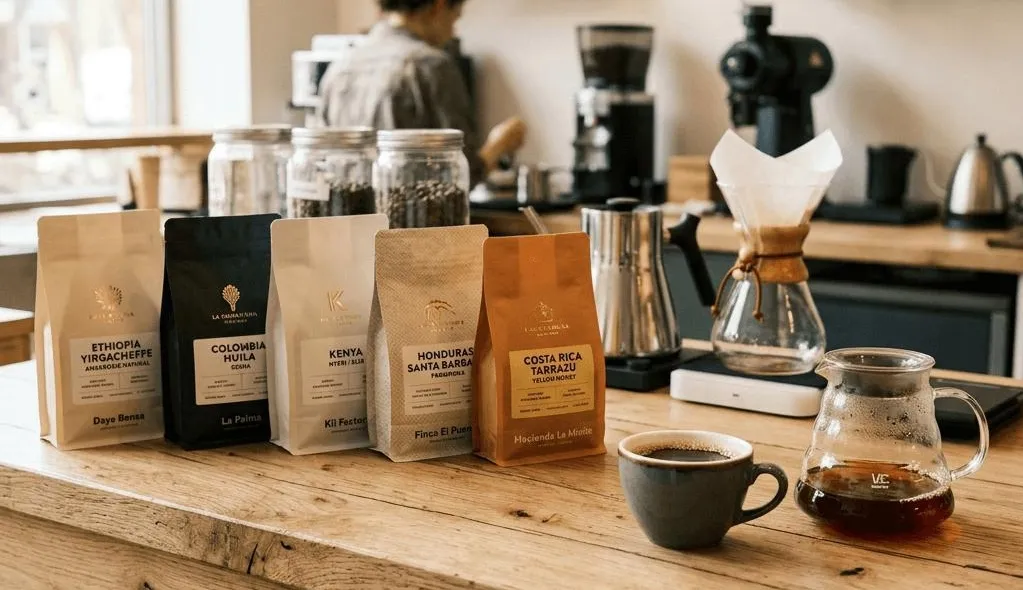
The design of a good coffee label does more than just inform your potential customers what the packaging hides. It defines your coffee brand, makes your product recognizable, and adds to its aesthetics and thoughtful packaging. Whether you run a small coffee shop, roast your own coffee, or sell your own brand, a good coffee label can make your coffee stand out on the shelf. So, what are some ideas and design trends in coffee labels in 2026?
☕ A little design inspiration
The best coffee labels combine three things: a recognizable brand identity, easy-to-read product information, and a design that makes customers want to pick up the package.
1. What Makes a Great Coffee Label Design?
Your coffee label is the first thing that customers see before tasting your coffee. A good label should be attractive, informative, and reflect your brand personality. Before choosing your colors and fonts, let's look at the important components of a good coffee label.
1.1 Maintain Your Brand Identity
A recognizable coffee brand begins with a clear visual identity. Start by defining colors that correspond with your product, selecting readable fonts, and designing a logo that works across different packaging dimensions. Whenever customers see your coffee beans in a retail store or coffee shop, your labels should be recognizable and feel like they belong to the same brand.
Choose a consistent palette that reflects your coffee brand.
Make product names and details easy to recognize.
Keep your logo recognizable on different packages.
1.2 Organize Your Message in an Understandable Way
The purpose of a beautiful label is to help customers quickly find the information they need. Start by displaying the coffee name, roast level, origin, and key tasting notes. Use clear typography and enough spacing instead of squeezing everything into a tiny area. For example, you could place the coffee name at the top and tasting notes underneath. This simple arrangement makes the label both attractive and practical.
📋 A simple coffee label layout
Medium
Ethiopia
Floral & Citrus
Example layout for inspiration. Product information is illustrative.
1.3 Choose a Style That Suits You
Think about what kind of experience you want your brand to create. Minimalist labels in neutral colors work well for specialty coffee, while hand-drawn illustrations in warm colors are perfect for a neighborhood coffee roasting company. Bold colors are also useful for making seasonal blends stand out. The key is to choose a style that feels natural to your brand rather than following every design trend.
Minimalist Style
Neutral colors, simple typography, and clean layouts create a refined specialty coffee look.
Hand-Drawn Style
Warm colors and illustrations give independent coffee brands a friendly personality.
Bold Seasonal Style
Bright colors and distinctive graphics help limited-edition blends catch attention.
2. Creative Coffee Label Ideas for 2026
There are many ways to package your coffee and make it stand out from the competition. You don't need a complicated design to create something memorable. Sometimes, a few thoughtful details are enough to give your packaging a fresh look. Here are three ideas worth exploring in 2026.
2.1 Try Minimalist and Modern Labels
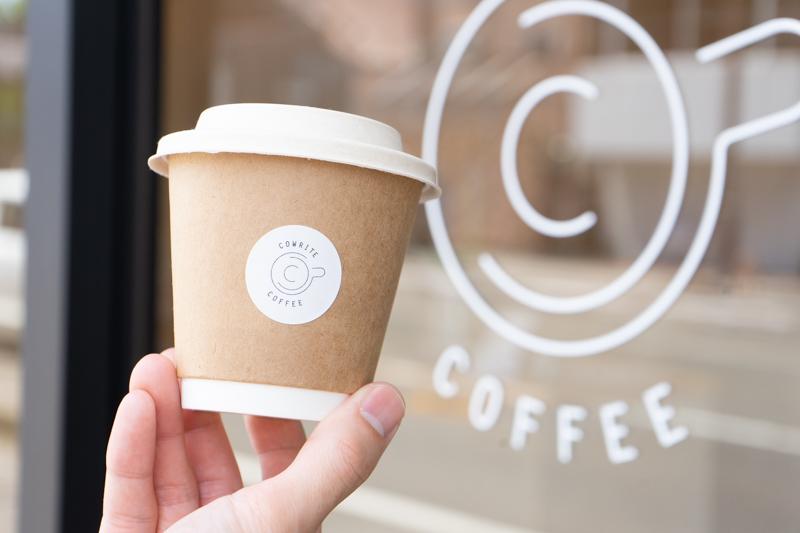
Minimalist coffee labels are a great choice if you want your brand to look chic and premium. All you need is a simple background, a well-positioned logo, and a limited color range. You can differentiate each coffee variety by using a different accent color while keeping the overall design consistent. This approach works particularly well for specialty coffee brands because it creates modern-looking packaging without distracting customers from the product itself.
Minimal design inspiration
SMALL BATCH ROASTERS
Morning Ritual
COLOMBIA · MEDIUM ROAST
Caramel · Chocolate · Hazelnut
✨ Keep the design simple, let the product name stand out, and use small details to create a premium feel.
2.2 Draw Illustrations and Pick Unusual Color Combinations
Illustrations allow you to add personality to your packaging and distinguish it from other products. You could use pictures of coffee plants, beans, mountains, brewing equipment, or other elements related to coffee brewing and origin. You can also choose label colors according to the coffee's flavor profile. For example, warm brown works well for chocolate notes, while brighter shades can suggest fruity flavors. These visual elements make your products easier to recognize and remember.
🎨 Match your label colors to your coffee's personality
Chocolate notes
Citrus notes
Nutty notes
Natural character
2.3 Add QR Codes and Helpful Product Details
A label can do much more than just display a product name. By adding a QR code, you can give customers access to brewing guides, farm details, roasting processes, and information about the coffee's origin. You can also use the label to share your brand story. Just remember to keep the main design uncluttered so customers can scan the QR code and read the information easily.
📱 Give Your Coffee Label a Digital Touch
A QR code can connect your packaging to useful online content and make the customer experience more interactive.
3. How to Pick the Best Labels for Coffee Packaging
Even the most appealing design needs the right label material and format to work well in everyday use. Moisture, oils, temperature variations, and frequent handling can all affect coffee packaging. Choosing appropriate materials and label sizes helps keep your package neat, readable, and functional during storage and retail display.
3.1 Pick Materials for Your Package
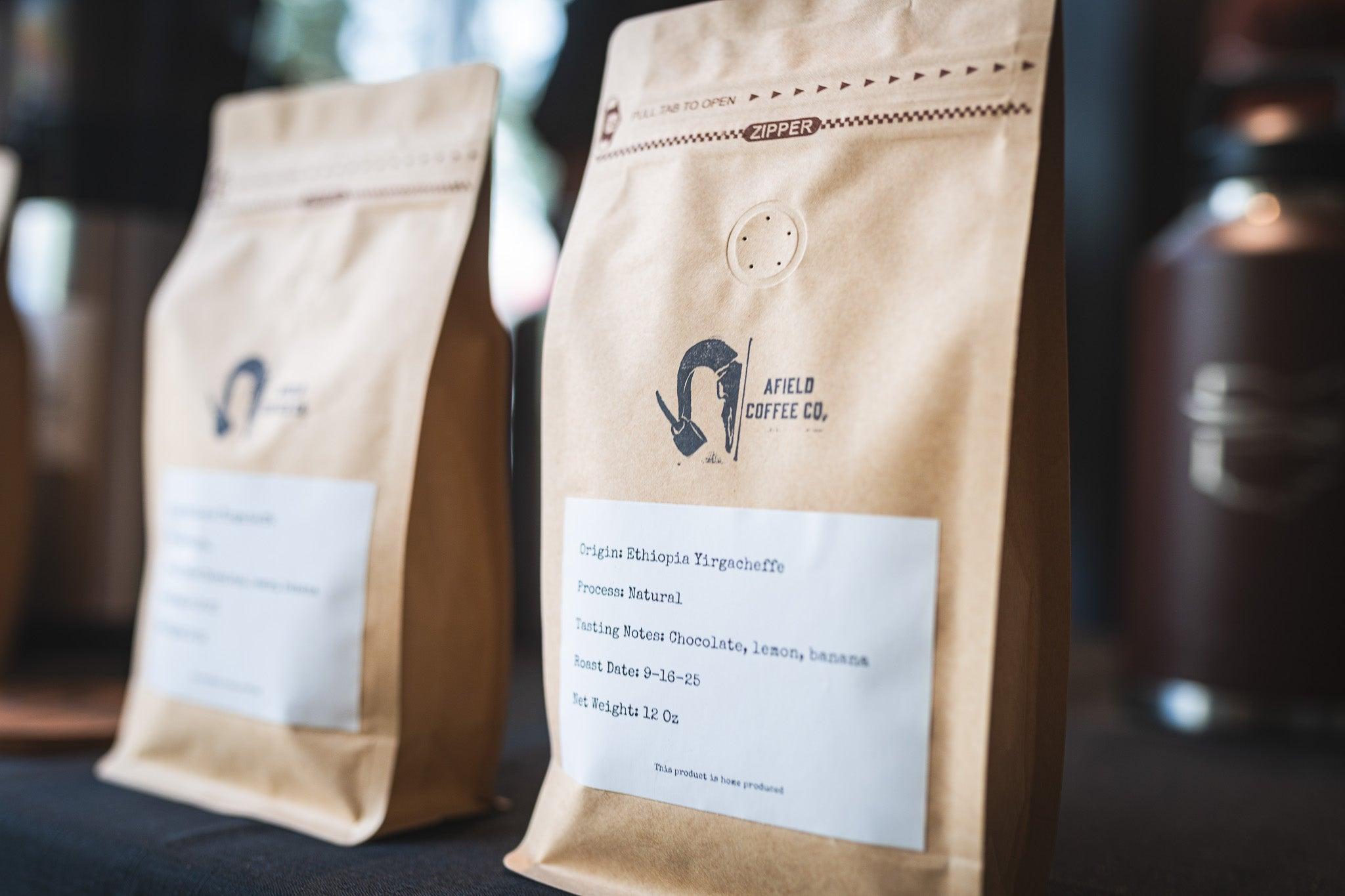
First, consider where your labels will go. Different label materials may be needed for takeaway cups, plastic containers, coffee bean jars, and kraft paper bags. Think about whether the surface is smooth, curved, textured, or likely to come into contact with oil or moisture. Choosing a material that works with your packaging can help improve adhesion and keep your products looking clean throughout daily use.
| Packaging Type | What to Consider | Design Tip |
|---|---|---|
| Kraft Paper Bags | Paper texture and adhesion | Use a clean, easy-to-read layout. |
| Plastic Containers | Surface compatibility and moisture | Check adhesion before production. |
| Coffee Bean Jars | Curved surfaces and label size | Measure the available flat area. |
| Takeaway Cups | Moisture and frequent handling | Choose a practical size and position. |
3.2 Select the Proper Label Form and Dimensions
Your label's shape should complement your packaging instead of competing with it. Smaller round labels can be a lovely choice for jar lids or cup stickers, while rectangular labels fit well on flat coffee bags. Measure the available surface and make sure there is enough room around the edges before printing. A label that is too large may wrinkle on curved packaging, while one that is too small might make crucial information difficult to read.
Great for flat coffee bags.
Lovely for jar lids and cups.
3.3 Organize Several Coffee Items
Make a consistent labeling system if your company offers many different coffee varieties. You may give each blend a basic code or use different accent colors for light, medium, and dark roasts. Where relevant, add key information including product name, roast date, batch number, and weight. A uniform method allows your team to find and organize stock while helping customers compare products more easily.
☕ A simple color-coding system for coffee varieties
Light beige accent
Warm brown accent
Deep espresso accent
4. NIIMBOT M2 Will Help You Design and Update Your Coffee Labels More Easily
Once you have a design direction in mind, the next step is finding a simple way to bring those ideas to life. A specialized label maker can help coffee shops, small roasters, and home coffee businesses make daily labeling more flexible. Designed for coffee and beverage labeling, the NIIMBOT M2 combines thermal transfer printing with customizable designs.
Meet NIIMBOT M2
A flexible label printing solution for coffee and beverage businesses
✨ Make Unique, Vibrant Coffee Labels
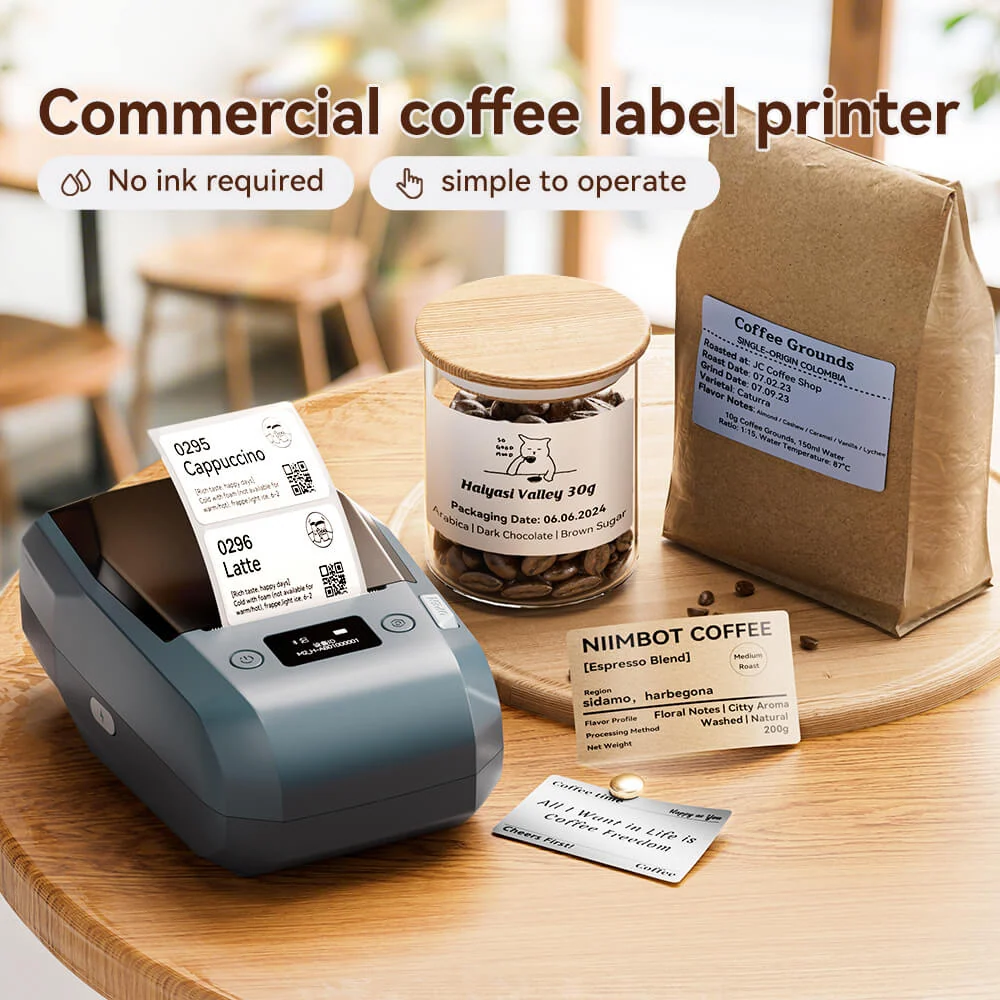
Using thermal transfer printing and seven ribbon colors, the NIIMBOT M2 offers more flexibility than a simple black-only label printer. Compatible label materials allow you to design coffee bag labels, bean jar stickers, cup labels, price tags, and branded designs. Its 300 DPI printing resolution helps produce crisp text and detailed graphics, making it easier to create labels that reflect your coffee brand's visual identity.
📱 Use the NIIMBOT App to Personalize Designs
You don't have to start every label from scratch. The NIIMBOT App offers more than 6,500 templates, including coffee and drink categories, along with over 20 fonts, 1,000 icons, and 100 borders. You can add your logo, product information, dates, barcodes, and QR codes to create a layout that suits your packaging. Excel import and batch printing are also supported, which can be useful when preparing labels for several coffee varieties.
🖨️ Flexible Printing for Everyday Coffee Business
The M2 lets you create and print labels using a phone or computer through Bluetooth connectivity and PC support. It accommodates label widths from 20 to 50 mm, with an effective printing width of 48 mm. Its compact design and rechargeable 2,000 mAh battery make it suitable for home workstations, mobile carts, and coffee counters. The manufacturer also states that its printed labels resist water, oil, temperature changes, sunlight, and wear, with a claimed lifespan of 8–10 years under normal conditions.
NIIMBOT M2 at a Glance
Print Resolution
Ribbon Colors
Label Width
Battery Capacity
Ready to give your coffee labels a fresh look?
Explore NIIMBOT M2 →Product specifications and performance descriptions are based on the manufacturer's product information.
Frequently Asked Questions
Still have a few questions before creating your coffee labels? Here are some additional tips to help you prepare your designs and printing workflow.
A Great Coffee Label Starts with a Thoughtful Design
From choosing your brand colors to selecting the right label material, every small detail helps create a better coffee packaging experience. Experiment with different ideas, keep your information clear, and find a printing solution that makes updating your labels easier.