☕ Creating your own coffee brand is an exciting venture. But how do you make your packaging unique? The labels you put on your products are often the first impression customers get of your coffee. A thoughtfully designed label can catch someone's eye, communicate your brand personality, and even convince them to give your coffee a try.
The good news? You don't need a big design budget to create something beautiful. With a few smart design choices and the right coffee labels, you can give your small coffee business a professional look without making things complicated.
1. Start with the Basics of Great Coffee Label Design
Before you can even think about colors or fonts, you should clarify what you want your coffee label to communicate. Your label should look nice, fit your brand image, and help customers understand the product you are offering. Let's focus on some simple design elements that can make a huge difference.
🎨 Select the Right Brand Identity
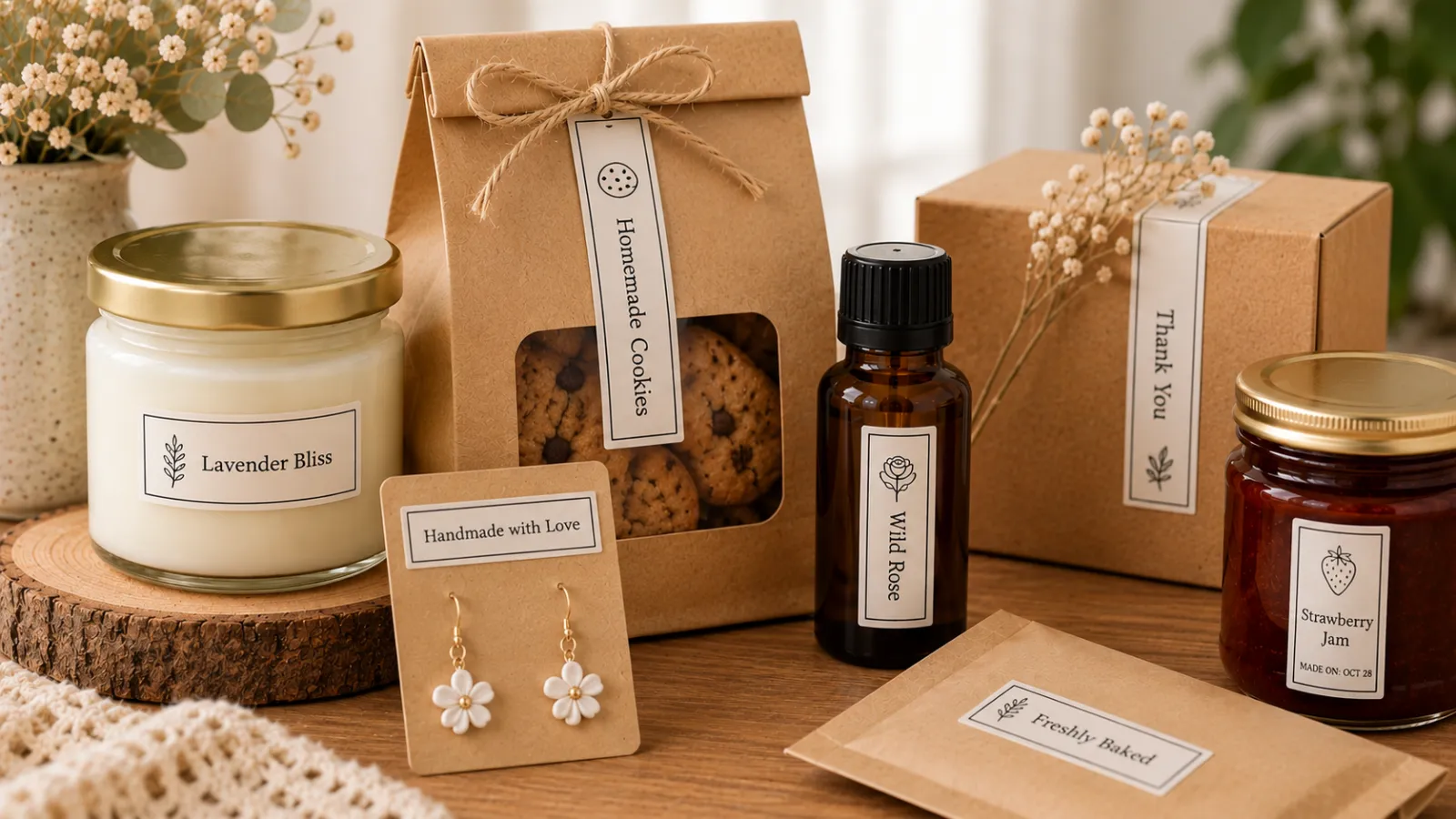
Your coffee label should reflect the style of your cafe. If your shop has a cozy, handmade atmosphere, warm colors and simple illustrations can work beautifully. For a specialty coffee business, clean labels with minimalist typography may be a better fit.
Warm colors, kraft paper, botanical illustrations, and friendly typography.
Minimalist layouts, clean fonts, and carefully arranged product details.
Dark backgrounds, refined typography, and subtle metallic accents.
Try choosing two or three main colors and one or two fonts, then stick to them throughout your packaging. This consistency will help customers recognize your brand more easily, even when they see your products from a distance.
🎨 Select Appropriate Colors and Fonts
Color and typography can tell customers about your coffee brand before they even open the packaging. Earthy brown, cream, and muted green create a natural feeling, while black, white, and metallic accents give packaging a more premium appearance.
Classic Coffee
Brown, tan, cream
Modern Minimal
Black, gray, ivory
Natural & Organic
Sage, beige, cream
Make sure your text is easy to read against the background, especially for small details such as roast dates and tasting notes. Decorative fonts can add personality, but keep important information in a simple, readable style.
📏 Take Your Product's Label Shape and Size into Account
Different coffee packaging designs require different label sizes. For instance, a large rectangular label looks great on a wide coffee bag, while a small circular label can suit a round glass jar or even a coffee mug. Before you start designing, measure the available area and decide on the label shape.
- Measure the flat or usable surface of the package.
- Consider whether the container is round, curved, or flat.
- Leave enough space around the label edges.
- Avoid covering important packaging information.
- Test the label on the actual container before printing a batch.
There should be enough space for the label to sit neatly without covering important packaging details or the brand itself. Choosing the right size also helps avoid wasting label paper and keeps your finished products looking tidy.
2. What Information Should Your Coffee Labels Include?
A good brand design is a fantastic starting point. However, customers also need useful information about what they are buying. No matter what type of coffee you sell, including a few key details can help customers understand your products and choose the coffee that suits them best.
🏷️ Add the Name and Origin
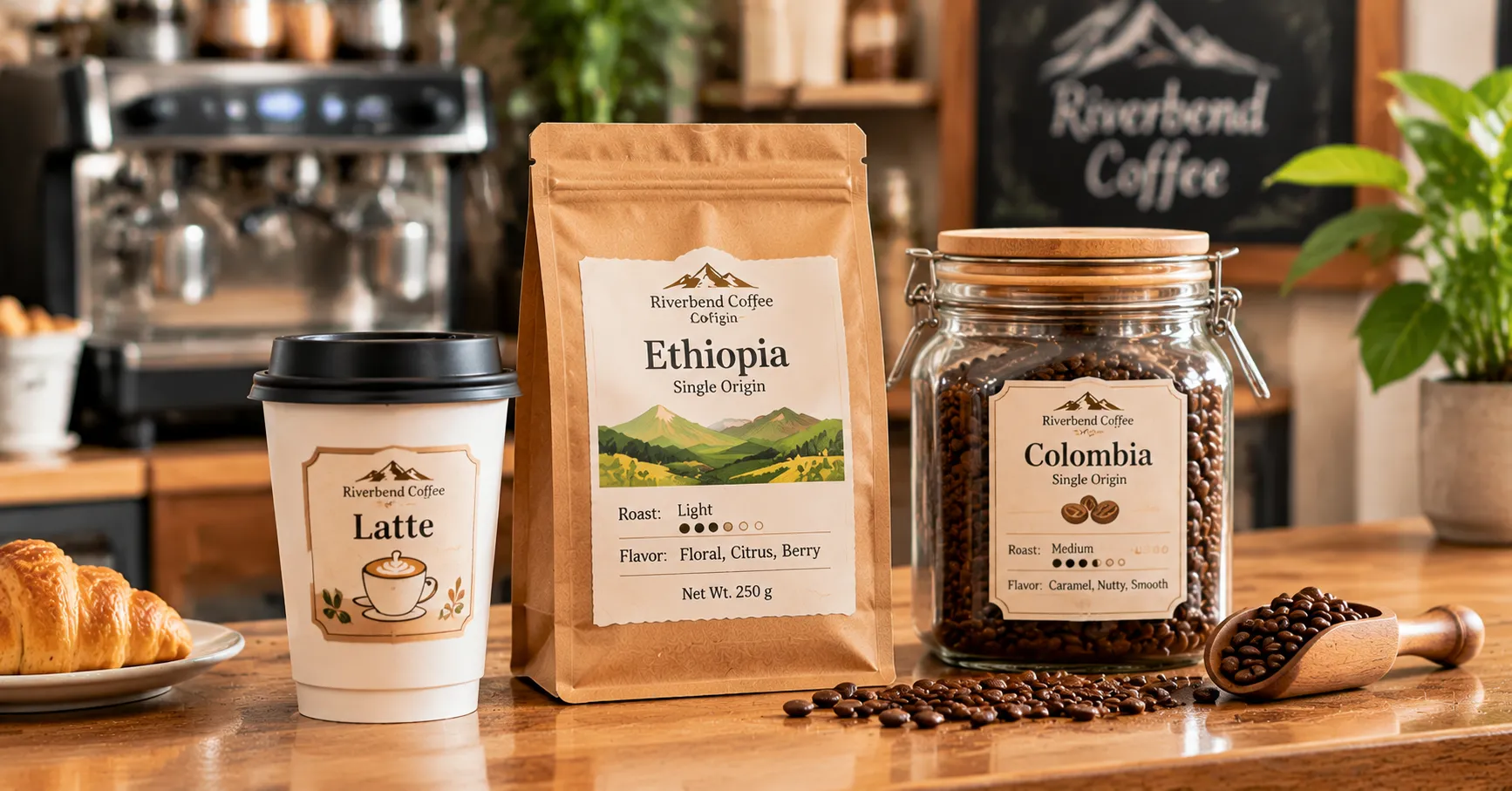
Let's start with the basics. First, include your brand name and the names of the coffee products you offer. If you sell specialty coffee, you may also want to include the country of origin, such as Colombia, Ethiopia, or Brazil.
Illustrative label layout. Use accurate origin and processing details for each coffee product.
Region, farm, and processing method are also useful details that help customers understand what makes each coffee special. Always leave the product name in the foreground and put additional information underneath. This simple hierarchy makes your labels easier to scan.
🔥 Show Roast Level and Flavor Notes
Coffee roast levels and tasting notes are characteristics that coffee lovers often look for. Use familiar terms such as Light Roast, Medium Roast, and Dark Roast, and add flavor descriptions such as chocolate, caramel, citrus, or berries.
Floral · Citrus · Berry
Caramel · Nutty · Chocolate
Dark Chocolate · Toasted · Bold
You can use small icons or colored accents to make these features more noticeable. Remember not to be too verbose. Short, precise descriptions are much more useful than a long list of complicated tasting terms.
📅 Make Sure to Include Roast Dates and Additional Information
When it comes to freshly roasted coffee, the roast date is a really helpful detail that allows customers to understand how fresh the product is. Depending on the type of coffee you sell and the applicable labeling rules, you may also need to include additional product information.
Instead of fitting everything into one overloaded design, establish a clear information hierarchy. The product name should come first, followed by key coffee details, and finally supporting information in smaller text. Don't forget to check the labeling rules that apply to your products and sales region.
3. Creative Coffee Label Ideas for Different Products
The next important step in designing an effective coffee brand identity is finding inspiration and imagining how your labels will look on real products. Think about your brand's personality. Is it elegant and luxurious, or casual and friendly? With so many coffee brands competing for attention, creative packaging can help yours become more recognizable.
🫘 Label Design for Coffee Bean Bags
Coffee bags are an excellent place to showcase your brand identity. Use larger labels with your logo, coffee name, origin, and roast level. You can also add smaller information labels when necessary.
Natural colors and minimalist labels create a warm, handmade appearance.
Clean typography and subtle accents give coffee packaging a premium feel.
If you sell several varieties of coffee, try using a consistent layout with a different accent color for each origin or flavor. This way, customers can recognize your brand while easily distinguishing between products.
🥤 Create Custom Labels for Coffee Cups and Bottles
Takeaway cups and bottled coffee offer another opportunity to create a memorable brand experience. Adding your logo to a takeaway cup can turn an ordinary drink into a recognizable part of your coffee shop's identity. You can also include the beverage name, flavor, and other relevant product details.
Great for cup lids and small containers.
Suitable for bottle sides and cup surfaces.
Make sure the label material is appropriate for the container and the conditions in which your product will be stored. For cold drinks, condensation and moisture are especially important factors to consider.
🎄 Make Seasonal and Limited-Edition Coffee Labels
Themed seasonal packaging can make your coffee products more attractive and give regular customers something new to look forward to. You could use special designs for holiday blends, bright summer labels for cold coffee, or unique artwork for limited-edition releases.
Festive colors and seasonal illustrations.
Fresh colors and playful designs.
Special accents for unique releases.
You don't need to redesign your entire packaging every time. Keep your main logo, fonts, and layout consistent, then change a few colors, illustrations, or decorative details. This makes limited-edition products feel special without losing your brand's recognizable style.
4. Create Professional Coffee Labels with NIIMBOT M2
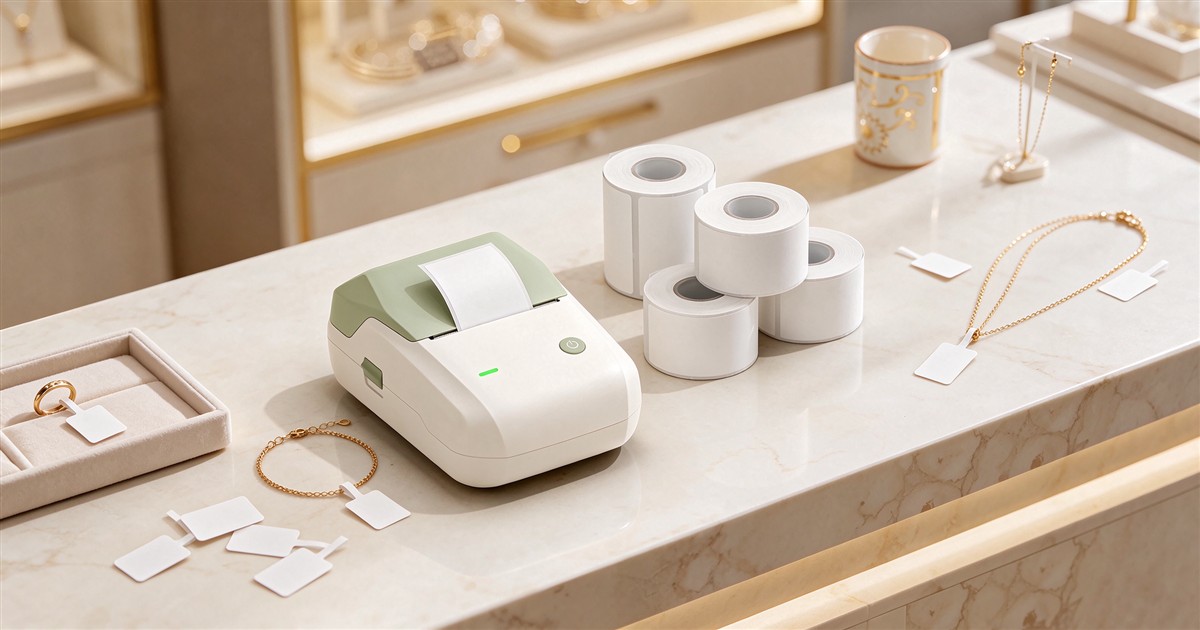
Buying large quantities of pre-printed labels isn't always practical for a small coffee business. If you're running a coffee shop or roasting coffee in small batches, you need a flexible way to update your packaging as products change. The NIIMBOT M2 is designed specifically for coffee shops, roasters, and home coffee businesses that need an easy way to create personalized labels for their products.
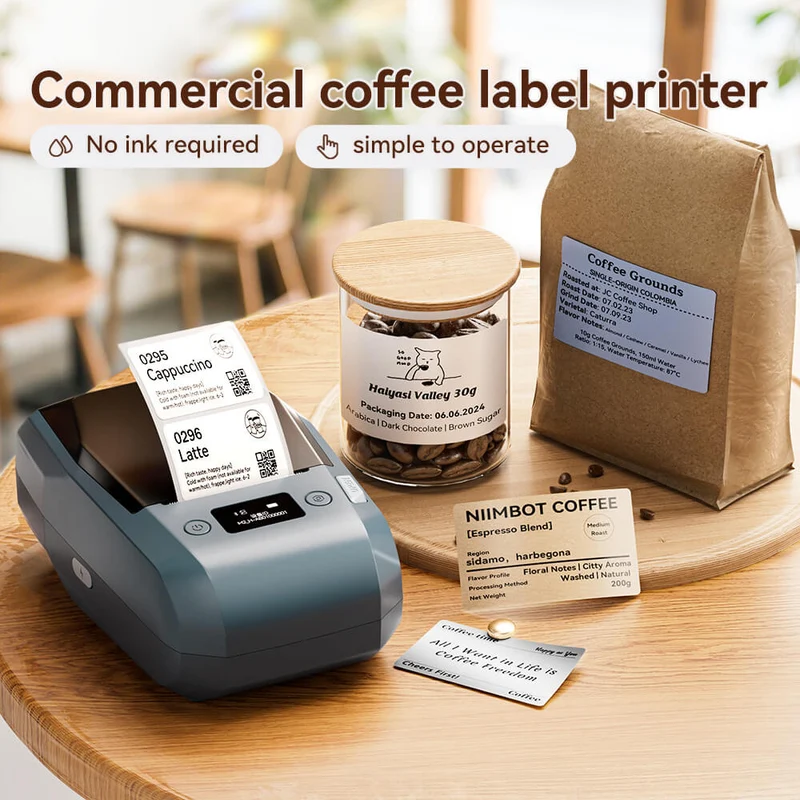
NIIMBOT M2
A flexible labeling solution for coffee shops, roasters, and small coffee businesses.
Create customized coffee labels as your products evolve.
🏷️ Create Custom Labels for Different Coffee Products
Labeling coffee-related items is another area where the NIIMBOT M2 can be useful. You can use it to print labels for jars of coffee beans, takeaway cups, flavor tags, roast dates, price tags, and more. This is particularly helpful when your business offers a variety of products or frequently adds new coffee options to the menu.
Bean names and origins
Brand and drink names
Freshness information
Product pricing
Instead of relying on one fixed label design, you can adjust the content to suit each product and print what you need as your inventory changes.
🎨 Take Advantage of Flexible Printing Features and Customization Options
One of the standout features of the M2 is its thermal transfer printing technology, with 300 DPI resolution and support for color printing through seven ribbon options. The device is compatible with labels from 20 to 50 mm wide, giving you flexibility when designing labels for different containers.
Using the NIIMBOT app or PC software, you can choose from more than 20 fonts, 1,000 icons, 100 borders, and over 6,500 free templates, including special templates for coffee and beverages. It's a helpful starting point if you want professional-looking labels without designing everything from scratch.
Try creating one basic coffee label template for your brand. Then customize the coffee name, origin, roast level, and accent color for each variety. This saves design time while keeping your product range visually consistent.
🔋 A Practical Labeling Tool for Small Coffee Businesses
The M2 is designed with everyday business use in mind. It supports Bluetooth and Type-C connections, so you can create and print labels using a phone or computer. Its automatic positioning feature helps simplify label printing, while the rechargeable 2,000mAh battery provides portable operation.
NIIMBOT also describes its compatible labels as waterproof, oil-resistant, and heat-resistant, with an estimated lifespan of 8–10 years under its stated conditions. For a small coffee business that needs to update roast dates, batch numbers, product names, or seasonal designs regularly, the M2 offers a convenient way to manage those changes in-house.
- Print customized labels for different coffee products.
- Choose from multiple ribbon colors and design resources.
- Connect using Bluetooth or Type-C.
- Update product details without ordering large batches of pre-printed labels.
- Manage everyday labeling tasks in your own workspace.
Ready to Create Your Own Coffee Labels?
Give your coffee products a more recognizable look with customized labels. Explore NIIMBOT's labeling solutions and find the right tools for your business.
Explore NIIMBOT →Frequently Asked Questions
Still figuring out the details of your coffee packaging? Here are a few more questions worth considering before you print your labels.
1. Should coffee labels look the same across retail and wholesale products?
They should share the same core brand identity, such as your logo, colors, and typography, but the layout can be adjusted for different customers. Retail packaging may focus more on visual appeal and tasting notes, while wholesale labels may need clearer product identification and batch information. Keeping the same visual language helps your brand remain recognizable across both channels.
2. How can I make coffee labels easier to read on a busy retail shelf?
Prioritize the product name and brand name using a clear font and strong contrast. Avoid placing too much text on the front of the package. Use short flavor descriptions and make important details visually distinct. It's also a good idea to look at your packaging from a few feet away to see whether customers can identify the product quickly.
3. How can I test a coffee label design before using it on all my products?
Print a small sample first and apply it to the actual coffee bag, jar, or cup. Check whether the label sits flat, whether the text remains readable, and whether the design looks balanced on the container. You can also ask a few regular customers or team members for feedback before deciding on the final version.
Great coffee deserves great packaging. ☕
With thoughtful design and the right labeling tools, even a small coffee business can create a brand customers remember.