Jewelry is tiny, expensive, and hard to label. Such small items as a coin-sized ring, a dainty gold chain, or a pearl earring hardly offer any space for information. Nevertheless, customers expect to see such details as the price, material, size, and brand name of a jewelry item. Apart from that, the display case for jewelry is a hostile environment for paper. Constant spotlights produce a lot of heat, which makes the life span of an ordinary label shorter and shorter. As a result, most jewelers handwrite small paper tags, and this is slow, messy, and can even damage the item itself.
The good news is that you do not have to resign yourself to that. Label papers for jewelry can be customized, and this process is much easier than most people imagine. In this post, we will look at the key pain points of label printing, the suitable formats of labels, and how to print custom labels for jewelry in minutes.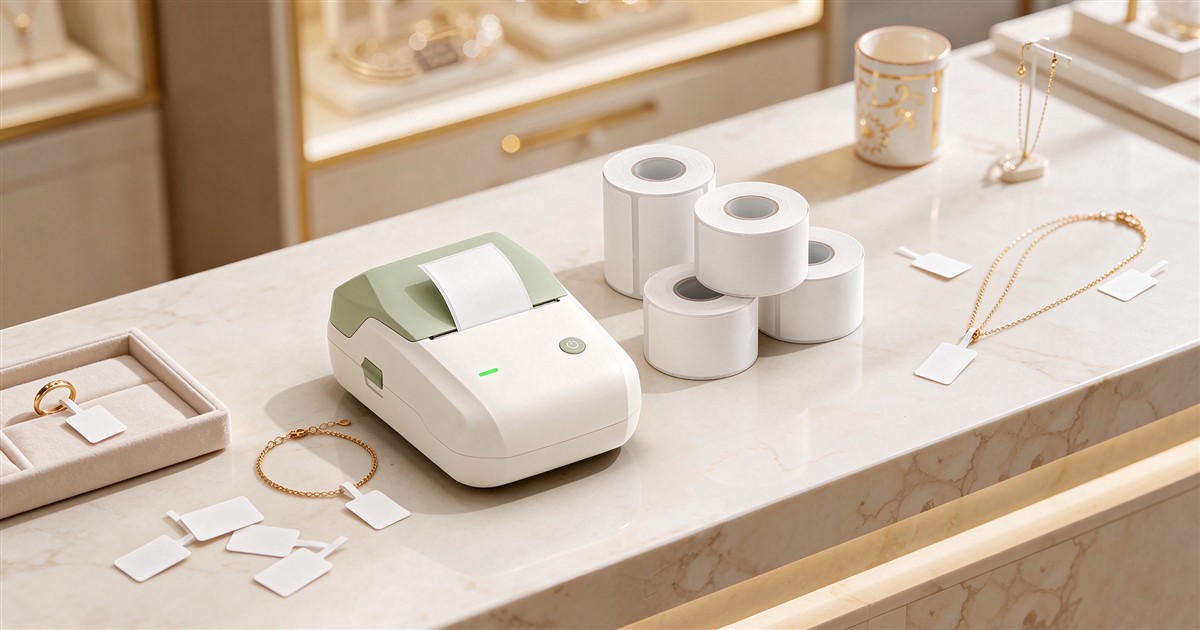
Why Jewelry Labeling Is Harder Than It Looks
💎 The Most Common Problems in Jewelry Labeling
Handwritten tags are the most widespread way of marking jewelry items, and they are the source of most problems. The ink can smudge on tags; staff handwriting differs from person to person; price tags are rewritten three times a season; and no one can read the code when the customer asks a question.
There is also the physical danger. Too strong glue can leave traces on metal and pull at a delicate chain or bracelet. Too big labels will look clumsy on a thin piece of metal. Labels which are too small cannot accommodate a barcode or a price with decimal points.
📐 What a Jewelry Label Paper Must Be Able to Handle: Material, Adhesive, Size, Print Clarity, and Heat
The label for a price tag should meet very specific criteria. First of all, it should be small enough that it does not cover the jewelry. Second, the adhesive should be firm enough to withstand repeated touch but should come off without leaving any trace after purchase. Also, the surface of the label should ensure perfect printability of the price. Finally, the material used should not get deformed when kept in a display case, a tray, or in the hands of a customer.
The biggest risk for your label is heat. In a store, spotlights are used to highlight gold and diamonds, but they raise the temperature right above your label. Direct thermal labels are highly sensitive to heat by nature, and the print on them starts fading quite quickly. As for thermal transfer labels, they print with a ribbon, and the printed image is resistant to heat, which makes it a safer choice for anything that sits under a light.
📦 Problems with Off-the-Shelf Generic Labels for Jewelry
Traditional generic labels intended for folders and boxes do not fit a small 4mm ring tag. They are offered in several standard size options only, are white only, and do not provide any design flexibility. Namely, they do not allow printing of your logo, changing the tag to a jewelry tag format, or printing a thin line of small text because it is difficult to keep it readable. Thus, a large part of jewelry companies still prefer handwriting.
Can Jewelry Label Paper Be Customized? Yes — Here Are the Things That You Can Alter
📏 Choosing the Right Custom Jewelry Label Paper
You can choose the necessary dimensions, from tiny rectangles for jewelry trays up to longer tags for necklace displays. Besides the usual rectangle tags, there are many other options, such as folded or tail-style ones. You can also choose materials for the tags depending on how you will use them — either smooth white ones for price tags or durable ones for items which stay in jewelry boxes for months.
🏷️ Jewelry Tags: Blank, Pre-printed, or Custom
There are three practical ways to tag jewelry. Preprinted jewelry tags are used for a fixed assortment and for seasonal collections, and they give a consistent appearance. Blank jewelry tags allow individual printing of tags for each item. Custom designed jewelry tags may include your brand's logo and colors, and the layout of the tags will be exactly as you designed it. Usually, stores use all three ways of tagging.
🎨 Design Freedom: Logos, Icons, Symbols, and Very Small Text
Apart from size customization, you can put your logo on any jewelry label, add icons representing the type of material used, include a care symbol, or print a compact line of text which contains fine print like metal purity. Due to the high printing resolution, even small elements will be perfectly visible and well formed.
Rectangular Jewelry Labels or Tail Tags: Which Type to Use for Jewelry?
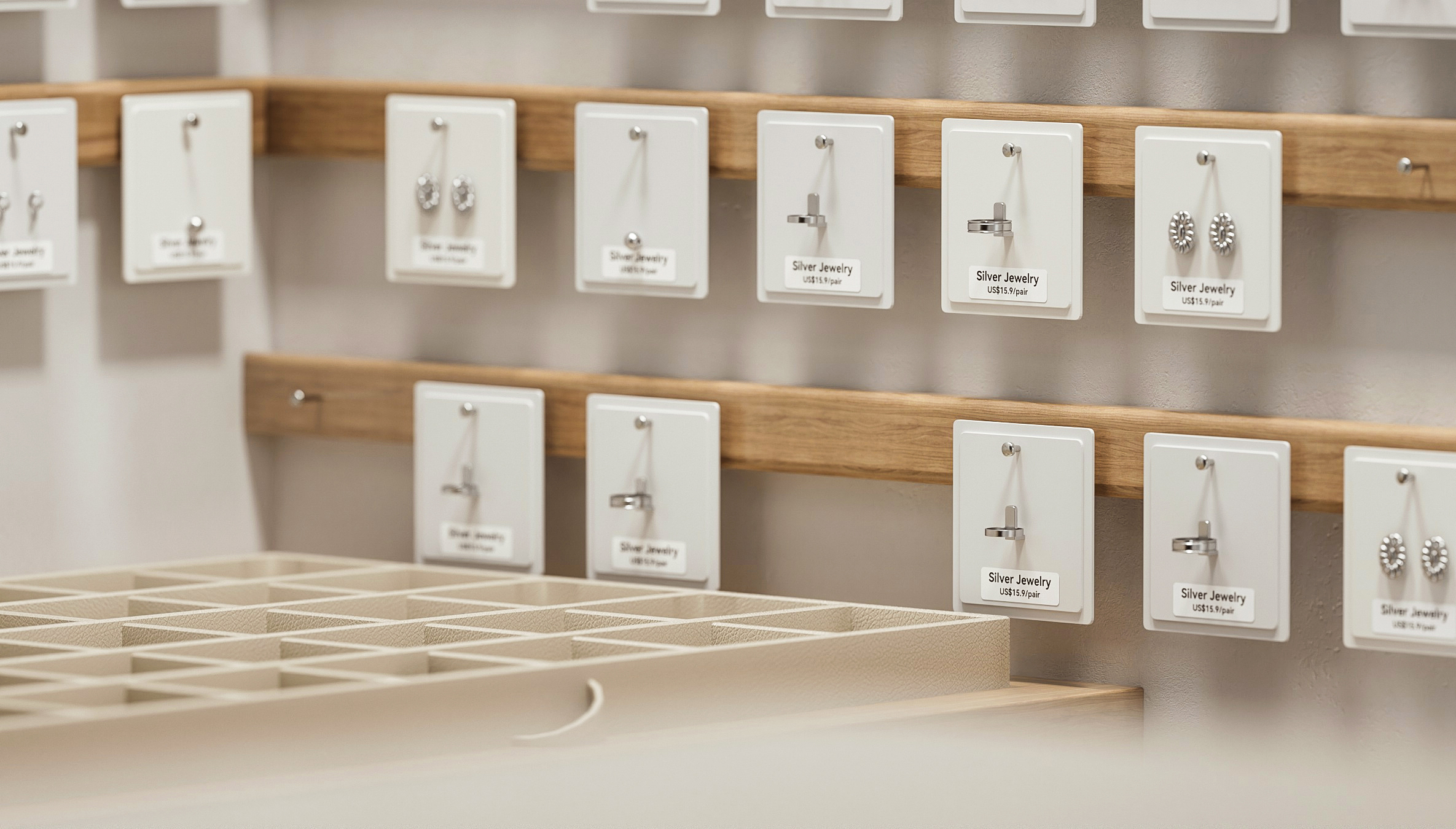
🔳 Rectangular Jewelry Labels — Perfect for Price Tags, SKU Codes, and Ring Trays
Rectangular labels are workhorses. They fit flat surfaces and allow placing a price along with a short SKU. They are very convenient in a ring tray or on a flat display, and if your team needs to reprice often, this format saves the most time.
🔖 Jewelry Tags with Tail — Best for Necklaces, Bracelets, and Hanging Display
This type of jewelry tag, namely folded tags (also called barbell tags), is attached to the piece of jewelry. It prevents the metal surface and the label from touching, thus keeping both clean. Besides, folded tags make reading the label easy when jewelry is displayed on a jewelry stand or in a cabinet.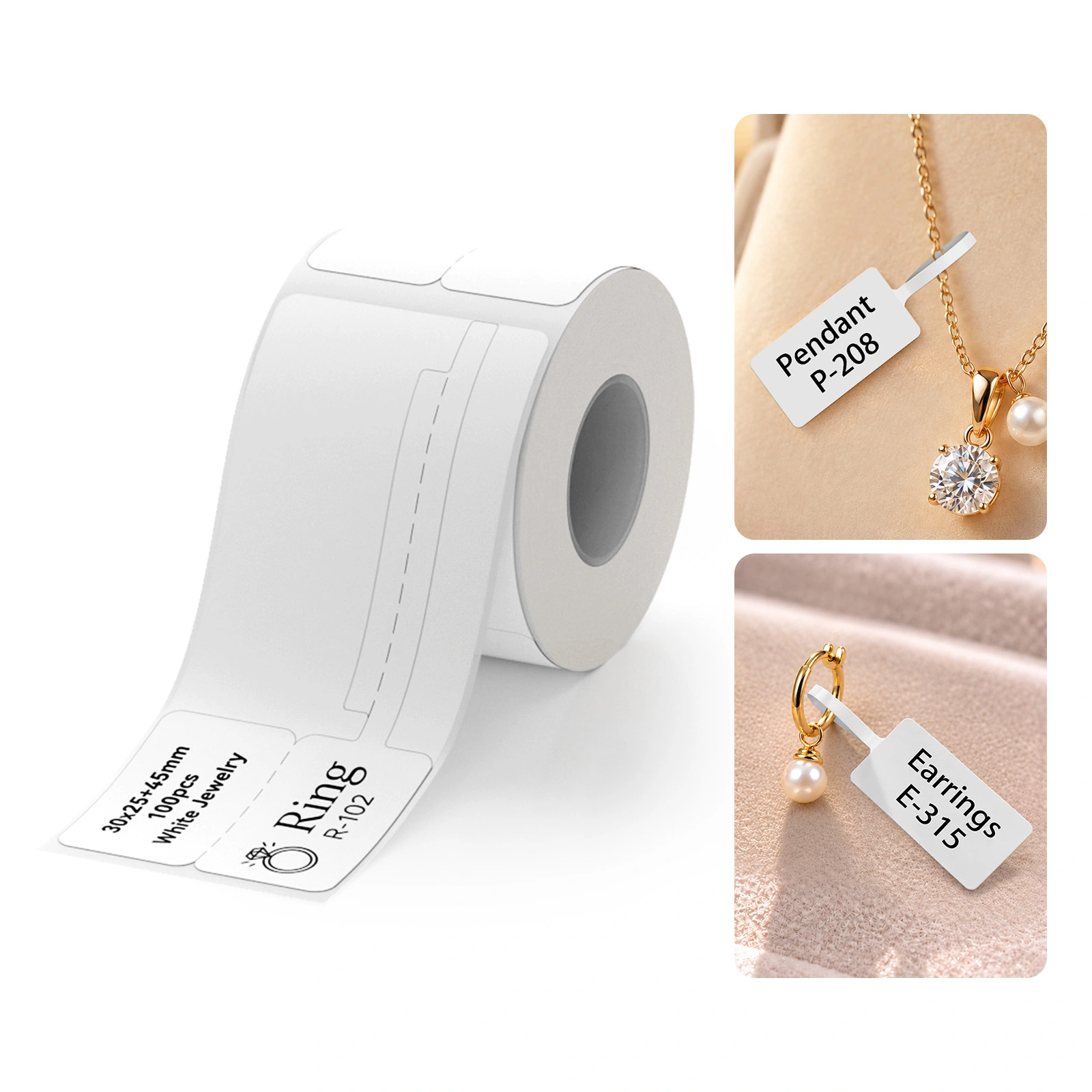
☀️ What Format Is the Best for Short-Term Use vs Long-Term Display
Direct thermal labels are cheap and fast to print, and quite convenient for items in fast stock such as pop-up sales and temporary events. If you have items which spend months in display cases, the shape of the label is not the real issue. The main problem is that the light bulbs concentrate heat on the label every hour the store is open, so the image printed by direct thermal labels will fade very quickly. This is the primary reason to use thermal transfer labels for long-term display. The image printed by thermal transfer labels does not fade much, even when exposed to constant heat and light.
How to Print Custom Jewelry Labels Simply and Quickly
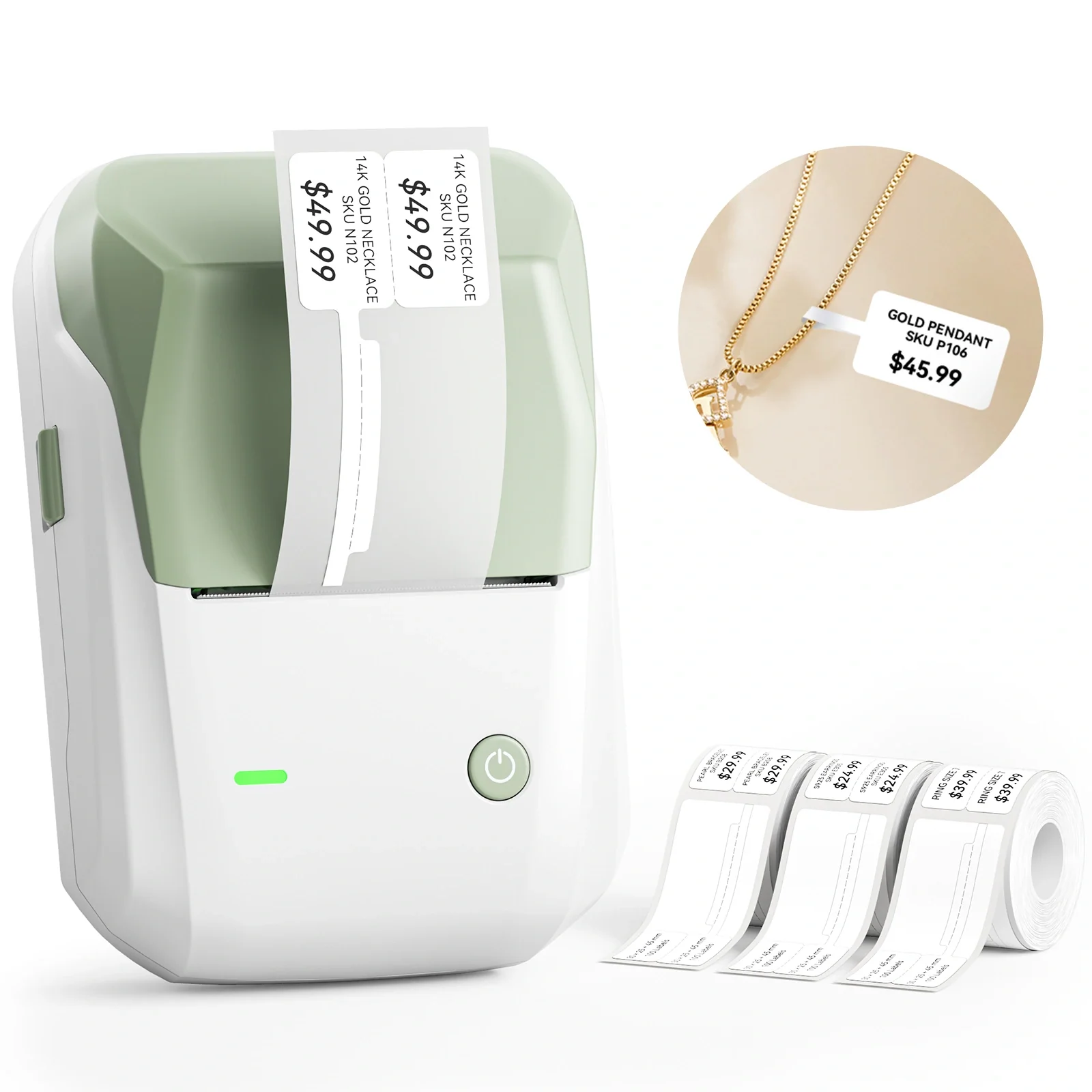
📱 B1 Pro Thermal Printer — In-Store Labeling Made Easy
B1 Pro is a direct thermal printer with a resolution of 300dpi. The device connects to your phone via Bluetooth and to a PC through the same technology. Therefore, employees are able to print a single tag from the counter without visiting the back office. This printer suits situations when fast printing is more important than long-term durability.
🖨️ 300dpi Thermal Transfer Printer M2 — Durable, Long-Lasting Jewelry Tags
M2 is a 300dpi thermal transfer printer that uses a ribbon instead of printing directly on the material. It helps to make the tags resistant to fading, heat, and handling, which is a great feature when it comes to lit display cases with spotlights. This device can be connected to a PC via USB and it can also be used with the phone application. This is the printer to choose if you want jewelry tags that can survive a whole season under spotlights.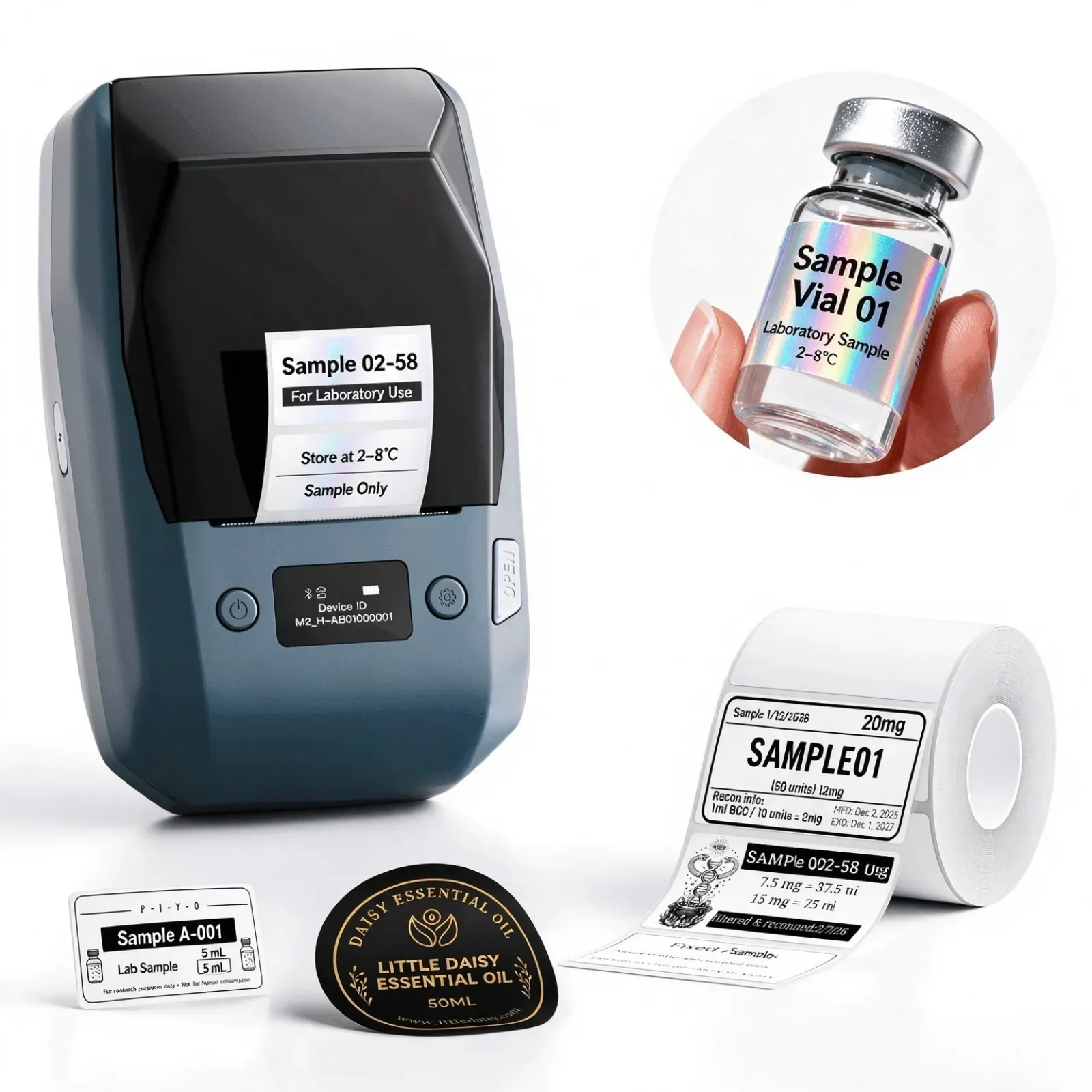
✨ A Simple Workflow: App Templates, Fine-Detail Printing, and Direct PDF Printing
Step 1: Open the NIIMBOT app and choose a template for jewelry. Ready-made layouts are available for price tags, tail tags, and ring labels, so you are not designing anything from scratch.
Step 2: Design your content. Drop in your logo, add icons and other design elements, adjust the text size, and fine-tune until the preview looks right.
Step 3: Print. Send the job straight to the printer, or upload a finished PDF or design file and print it directly as a label.
FAQ
Can jewelry label paper be customized in small quantities?
Yes. You can customize your labels according to your requirements and choose the appropriate materials, designs, and techniques. We also offer free design services to help your small business flourish.
Are these labels durable enough for long-term jewelry display?
It depends on your printing method, and it is worth being honest about that. Direct thermal labels, like the ones printed on B1 Pro, are convenient but they fade over time when exposed to heat, sunlight, or friction — and a bright display spotlight is exactly that kind of heat. In a well-lit case, a direct thermal tag may start to look tired within a few weeks. For pieces that stay on display for months, use thermal transfer labels printed with a ribbon on the M2. Those hold their print far longer and handle repeated touching much better. Match the printing method to how long the tag needs to last.
Is it possible to print my own logo, icons, or a finished design (PDF) as a jewelry tag?
Yes to all three. You can include a logo, small icons, and even thin text in the app, and you can upload a finished PDF or design file and print it directly. One important thing to keep in mind: these printers produce single-color prints only, so your design should be built for one color. Line art, strong logos, and legible typefaces work perfectly. Full-color photos will not come out well, so keep the design simple and high-contrast.
Do the printers work with both phones and computers?
Yes. Both models are 300dpi and both work with the phone app and with a computer. B1 Pro connects to a PC over Bluetooth, which suits a counter or a tablet-style setup. M2 connects over USB, which is more stable for a fixed back-office station. Many stores keep one of each: B1 Pro at the counter and M2 in the office for batch printing.
Start Your Custom Jewelry Labels Creation Process Today
Getting branded jewelry labels does not mean hiring a team of designers or ordering a manufacturing line. It is possible to get what you want with a printer and the right templates.
Take a look at our jewelry label printers and jewelry tag label paper, and print your own tag this week.