Your desk can slowly turn messy before you even notice it. Notes left over from meetings, a charger tossed into the wrong drawer, stationery buried under stuff you barely touch. Before long, hunting for a file or clearing enough space to work becomes a hassle all on its own.
Good office organization isn't about matching bins or styling your desk like a showroom. It's about knowing where everything sits, and being able to put items back without overthinking. Your setup should fit how you actually work, not pile more rigid rules onto your plate.
If your office feels cramped or hard to keep tidy, tackle one spot at a time. There's no requirement to sort the whole room in a single day, and starting with just your desk already removes a surprising amount of daily friction.
1. Take a Look at Your Desk First
Hold off on buying fancy desk organizers for now. Clear the surface and check what's really taking up space. Chances are, half of those items don't get daily use — old receipt prints, a pen that stopped working weeks ago, or a brochure you meant to read once.
Keep your laptop, notebook, a handful of pens, and paperwork you're actively working on. Set everything else aside temporarily. Some things belong tucked away in drawers; others might not even need to stay in your office space at all.
Keep Your Most-Used Items Close
There's no universal desk layout that works for everyone. If your day is packed with video calls, you'll want your headset and notebook within easy reach. If you spend most time going through printed documents, you'll need more open workspace than someone who works mostly on screen. A sales rep, a bookkeeper, and a designer will all arrange the same desk differently, and that's fine.
Pay attention to what you grab over and over throughout your day. Those items deserve the prime, easy-to-reach spots. Backup supplies and occasionally used gear can live somewhere else, since reaching for them shouldn't interrupt your main task.
Do a Quick Clear-Up Before You Leave
You don't have to deep clean the whole office every evening. Just wrap up the loose clutter: stray notes, empty cups, leftover packaging, and finished papers.
Group unfinished work together so it won't get mixed up with completed files. Leaving a clean patch on your desk makes starting the next morning feel far less stressful, and you avoid that slow, frustrating 15 minutes of clearing space before you can even begin.
2. Give Your Office Documents a Clear Filing System
Paperwork gets out of hand fast when you can't tell what still needs action and what can be filed away. Without simple separation, invoices, meeting notes, printed emails and project sheets all stack into one messy pile that nobody wants to dig through.
Start with the document types you handle most often. A small office may only need folders for invoices, client records, active projects and general reference files. Overly complicated filing systems just end up ignored, so there's no point building one nobody will maintain.
Separate Work That Still Needs Attention
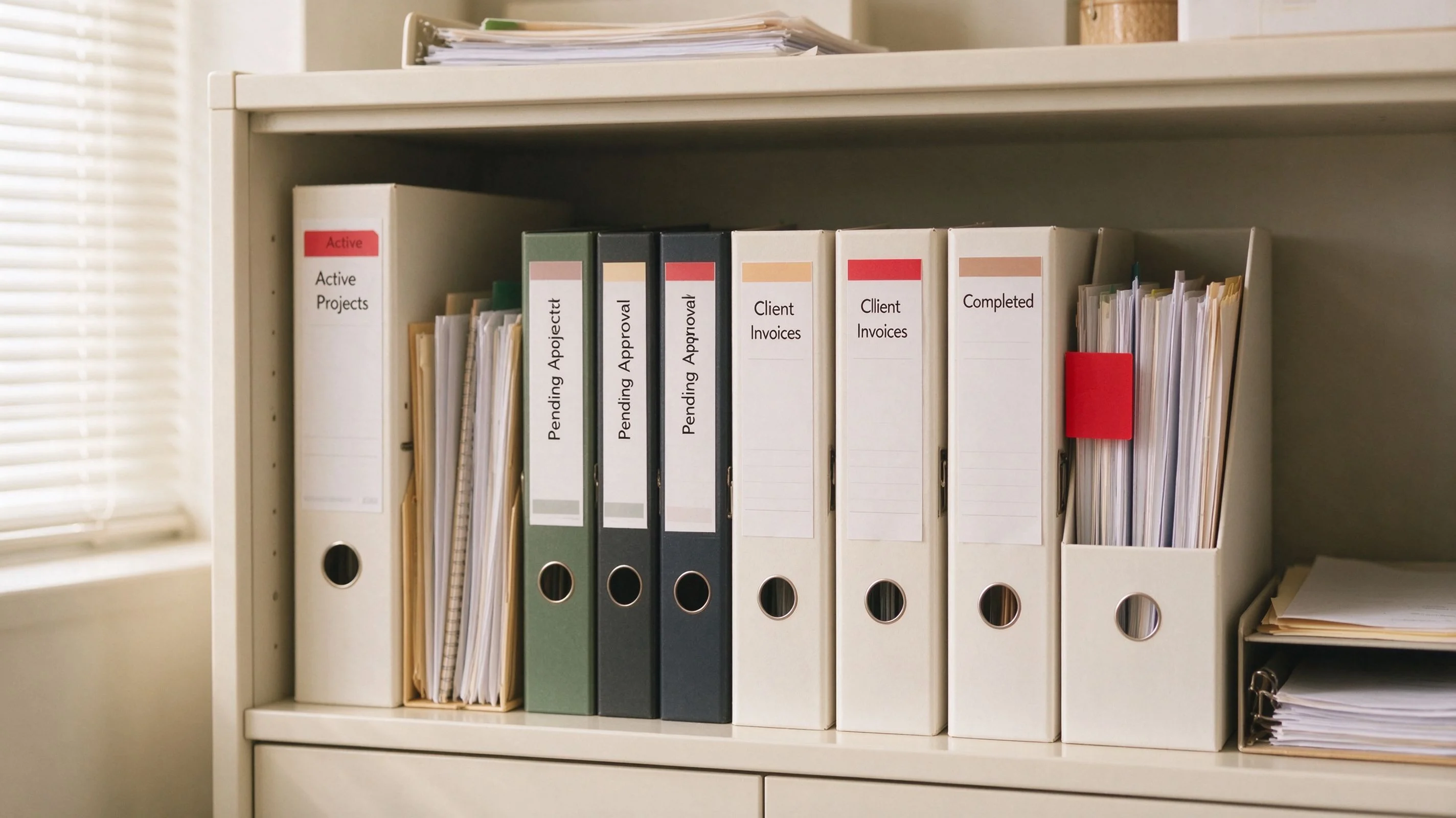
Split your paperwork into three simple buckets:
- Active: Work you're currently handling.
- Pending: Files waiting for replies, signatures or approvals.
- Completed: Finished records that need storage.
A signed contract, for example, shouldn't sit in the same stack as a draft proposal that still needs edits. Put each document away once you finish working on it. It takes a little time to build this habit, but it saves you loads of hassle later when you check project statuses or hand work over to a teammate.
You can use this same grouping for digital files on your computer. Matching your physical and digital folder structure makes file lookup smoother, especially when you jump back and forth between paper and screen all day.
Make Folder Labels Specific
Skip vague labels that don't tell you much. "Important" or "Miscellaneous" won't help you when you're digging through cabinets, because practically everything feels important on a busy afternoon.
Use straightforward names that spell out what's inside, like "Client Invoices," "2026 Projects," or "Pending Approval." If multiple folders belong to different clients or teams, add that detail instead of relying only on color coding — colors help at a glance, but they don't explain what's actually inside.
3. Give Small Office Supplies Their Own Places
Tiny odds and ends are usually what turn a drawer into a mess. Paper clips mixed with spare batteries, loose pens tangled with markers, sticky notes buried under tape rolls. The smaller the item, the easier it is to scatter.
Dump all your supplies out and group similar items together. Writing tools in one divider, clips and rubber bands in another, mailing supplies in its own box. If you pack shipments regularly, keep envelopes, tape and labels right by that work area instead of walking back and forth for every package.
Label Drawers and Storage Boxes
Labels shine when you have multiple identical containers. A box marked "Printer Paper" saves you from opening every bin to find what you need, and it helps whoever else uses the storage know where things go.
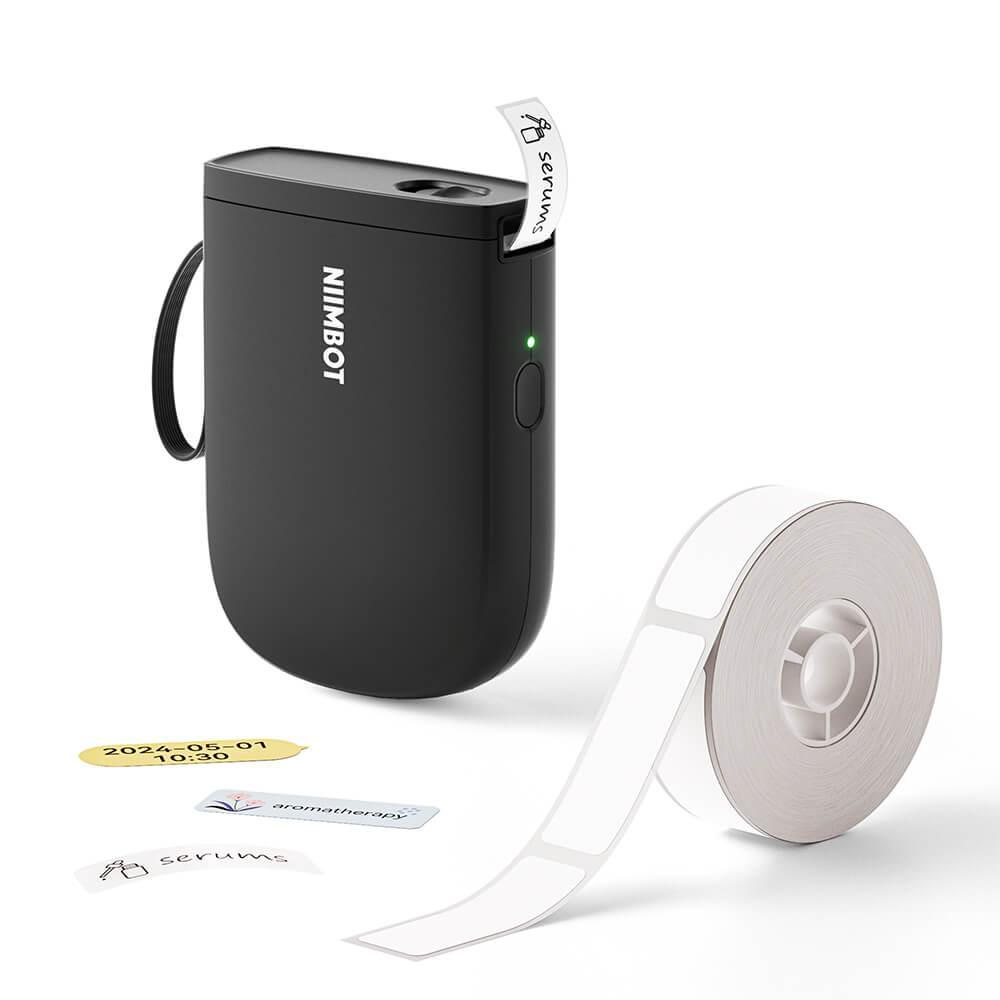
NIIMBOT D11
A compact thermal label printer for office drawers, storage boxes and supply containers, with simple in-app layout editing.
- Inkless thermal printing, no ribbon or toner
- White, colorful, transparent and cable label options
- Custom wording, fonts and layouts in the app
- 300 dpi clear text on small labels
If you want to print custom tags yourself, the NIIMBOT D11 works great for marking drawers, storage bins and supply containers. It supports white, colored and transparent label stock, so you can style your workspace however you like. You type your text and tweak layouts directly inside its app.
White labels create a clean, uniform look for a row of storage boxes. Colored labels help separate supplies for different teams or projects. Transparent labels are a solid pick if you don't want to cover up the original look of your containers.
4. Make Better Use of a Small Office
When space is tight, desks tend to become catch-all storage. Extra paper, reference books, spare equipment and personal items slowly pile up and take over until there's barely room to type.
Before rushing to buy more furniture, look for unused spots beyond your desktop.
Use the Space Above and Below Your Desk
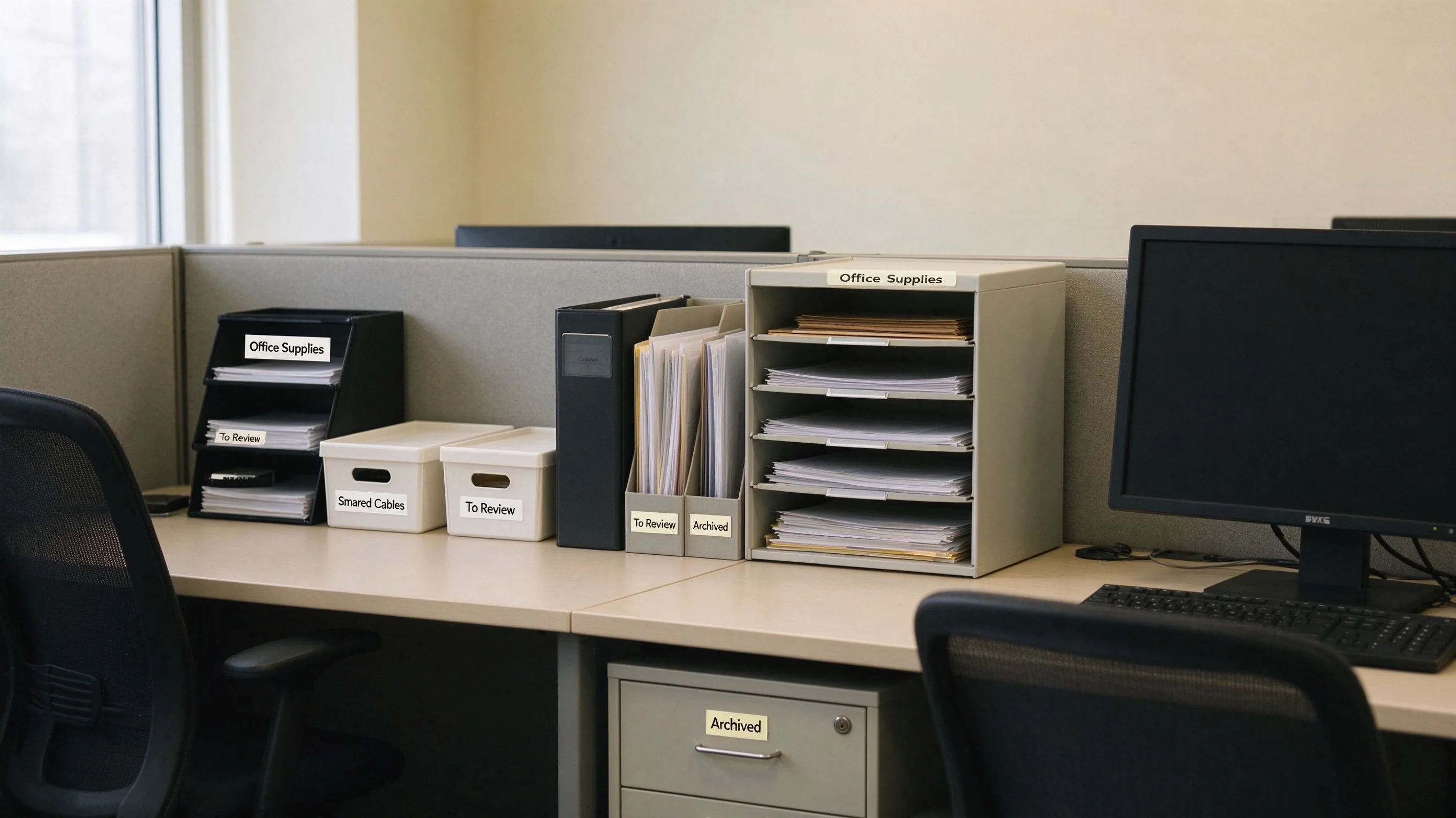
Wall shelves hold books and folders you pull out occasionally. Under-desk drawers are perfect for spare stationery, cables and other items you want nearby but not out on display. A narrow filing cabinet beside the desk also frees the surface from files that don't need daily access.
If you share the office with others, agree on fixed spots for shared supplies. Otherwise items drift from desk to desk, and nobody knows where they belong when they run out of tape or paper.
Clear Out Things You No Longer Use
Take time to audit your storage every once in a while. Old notebooks, dried-out markers, duplicate office tools and outdated paperwork eat up way more space than you realize.
You don't have to toss everything you haven't touched recently. Some records need to be retained for tax or contract reasons, and backup supplies can come in handy. Just move those items out of your daily workflow zone so they don't crowd the things you use constantly.
5. Sort Out the Cables Around Your Desk
Cables stay out of sight and out of mind until you need to unplug one. Behind your desk, monitor cords, USB wires, phone chargers and power adapters quickly turn into an indistinguishable jumble, especially when more than one person shares the setup.
First, map which cable connects to which device. Only unplug hardware when it's safe to do so, and separate spare cables from your everyday ones. Even grouped together, identical chargers can still be hard to tell apart.
Add a Short Label to Each Cable
A simple tag reading "Monitor," "Desk Phone," or "USB-C Charger" is enough. No long descriptions required. The goal is to identify the cord without tracing it all the way back to the device.
The NIIMBOT D11 can also print labels for cable management. With dedicated cable label paper, you can tag individual cords and avoid confusion later. Keep labels away from connectors and vents, and double-check they won't block plugging in or moving the cable.
6. Use Labels to Make Office Organization Easier to Maintain
Once everything has a home, the next challenge is making those homes easy for everyone to recognize. This matters a lot in shared offices, where teammates may need to grab files or put supplies back when you're away.
You don't need to label every single pen or notebook. Focus on items that get mixed up easily: matching storage bins, shared drawers, filing cabinets and active folders. Over-labeling creates clutter of its own.
Make Important Documents Easy to Spot
A folder waiting for approval should stand out from finished files. Short tags like "TO REVIEW," "URGENT," or "APPROVED" signal what needs attention at a glance.
The NIIMBOT D11 prints at 300 dpi, so text stays crisp even on small labels. It also supports red-and-black printing, which works well for highlighting project names or priority statuses. This two-color effect requires special red-and-black label paper.
That's just one consumable option for the D11, not the only one. The printer also works with white, colored, transparent and cable labels. Pick the material that fits your task, then adjust text, fonts and layouts in the app.
Use the Same Terms Throughout the Office
Your label system falls apart when the same supply category gets different names across the room. If one drawer says "Office Supplies" and another reads "Stationery," confirm whether those categories mean different things. If not, stick to one consistent name.
Color coding can help too, but use it with clear purpose. For example, reserve one color for a specific team, or save bold styles for urgent documents. There's no need to make every single label unique — variety for its own sake defeats the point of a simple system.
7. Keep the Routine Simple
Your office might look spotless right after a big cleanup, but the real test is keeping it neat when work gets busy. If your system takes too much effort to follow, people will eventually stop using it.
A quick reset at day's end usually does the trick. Put supplies back, move finished paperwork out of your active work zone, and leave open space ready for tomorrow's tasks. Once a week, check the drawers and folders you use most and restock anything running low.
If the same spot keeps getting messy, don't just keep tidying it over and over. Maybe the drawer is overstuffed, or your most-used items are hard to reach. Rearrange your setup so putting things away takes less effort, rather than forcing yourself to do more cleaning.
Frequently Asked Questions
Start with your desk. Remove items you don't use regularly and keep only what you need for a normal workday. Once you know what should stay, it's much easier to figure out what storage you actually need.
Sort paperwork by project, client or purpose. Separate active work from pending approvals and completed files. Clear, specific folder labels also help you locate both physical and digital files fast.
Use wall shelves and under-desk storage to free up desktop room. Keep daily essentials close by, move backup supplies to cabinets, and avoid storing rarely used items in your most accessible spots.